 Parvesh Rawal blog
This is a brief guide to my project microtok: a minimalist realization of the BPE tokenizer’s core. It has been built for clarity and learning, leveraging the underlying tokenizers library to support both the classic Byte Pair Encoding (BPE) found in GPT-2 and the more modern, regex-driven approach used by tiktoken.
The entire engine is optimized for simplicity, yet remains powerful enough to train on million-token datasets in just 3 lines of code. This project was born from a desire to demystify the first “gear” of the generative pipeline, simplifying the intricate process of tokenization to its absolute essentials, and I think it is beautiful 🥹.
Dual BPE & Tiktoken Style Tokenizer Trainer —
Links & Resources
- GitHub Repository: microtok (full library code)
- Interactive Guide: Open in a Colab Notebook
Basic difference between BPE and Tiktoken
While both are same under the hood they both use the Byte Pair Encoding (BPE) which is basically a algorithm which when trained makes an internal representation of merges or creates a merge table which is a guide of how to tokenize any word. It uses UTF-8 which breaks each character down to 256 base bytes—this is the reason it can represent any language and any kind of word and avoid the problem the Word-Level Encoding (WLE) had which was if WLE gets a new word which isn’t present in its vocab it will return an <UNK> token and the model loses the meaning. Some folks might think it could be handled using the CLT (Character-Level Encoding) but the problem was that the sequence tokenized by CLT became very large which is very inefficient and compute-hungry for the model’s memory. This is the reason why BPE emerged; it uses those 256 base bytes as the starting point so it never sees an “unknown” character and generates the merge table by seeing the most frequent pairs of tokens in a sequence and merging them until it reaches a vocabulary size like 32k or 50k. These 256 bytes are the “alphabet” but the merge table holds the “words” and “parts of words” the model actually reads by greedily following the table in the exact order it learned them. It even treats spaces as characters (often shown as a special symbol like Ġ) so it knows the difference between a word at the start of a sentence and a word with a space before it, which keeps the sequence length short enough for the computer to handle while making sure it understands the meaning of every single byte it sees.
BPE vs. Tiktoken: Algorithm vs. Implementation
It is important to understand that BPE is the name of the actual algorithm (the “math” and “logic”), while Tiktoken is just OpenAI’s specific name for their version of it.
– BPE (Hugging Face): This is the standard implementation used by most of the AI community. It is very flexible and can be used for almost any model, but it is built to be a general-purpose tool for research and this is the one we are using.
– Tiktoken (OpenAI): This is another name for BPE, but it is OpenAI’s custom implementation. They wrote the core engine in Rust to make it incredibly fast—much faster than the normal Hugging Face implementation.
Even though the logic is the same, there is a big practical difference between the official ‘tiktoken’ library and the ‘tokenizers’ library from Hugging Face. The official Tiktoken library by OpenAI is built for speed and production. It is like a “Read-Only” engine—it is designed to use the pre-trained merge tables that OpenAI already made (like for GPT-4). The problem for us researchers is that Tiktoken doesn’t actually have a “Trainer” class. You can’t just give it a new dataset and tell it to learn a new vocabulary from scratch. This is where our implementation comes in. We used the Hugging Face ‘tokenizers’ library to build a “Tiktoken-style” trainer. We did this by:
-
Using a similar GPT-4 Regex pattern: This ensures the text is split into the same “chunks” (like keeping ‘s or ‘ve with their words) before any merging happens.
-
Using the Byte-Level BPE model: This gives us those 256 base bytes so we never hit an
token. -
Setting up a BpeTrainer: This allows us to actually “train” on our own custom data and decide our own vocabulary size (like 64k).
By doing this, we get the best of both worlds: the smart splitting logic of Tiktoken and the ability to train on any custom data we want. This is how we implemented a tokenizer that “thinks” like GPT-4 but is customized for our specific research needs.
The Code: Training Your Own Tokenizer
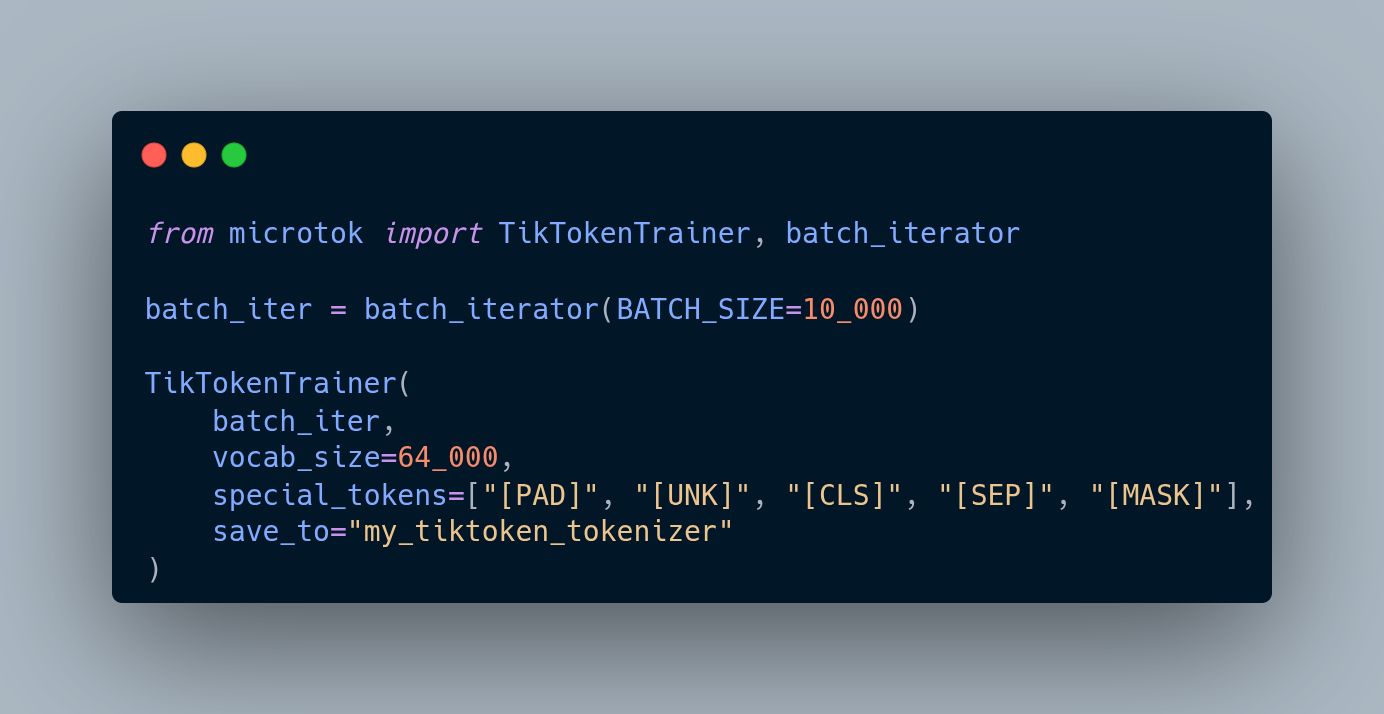
Let’s dive into how you actually use microtok. The library is split into two lean modules: one for streaming your data and another for actually running the trainer.
1. The batch_iterator
Think of this as your data faucet. Instead of trying to shove a 10GB dataset into your RAM—which would probably crash your machine—this module streams the data from Hugging Face in small, manageable batches. By default, it’s hooked up to the FineWeb-Edu 10BT sample, but you can point it at any dataset you want and tweak the batch size to fit your memory.
def batch_iterator(BATCH_SIZE=10_000, Dataset="HuggingFaceFW/fineweb-edu", split="train", name="sample-10BT", ...)
2. The BPETrainer & TikTokenTrainer
These are your heavy lifters. This is where you initialize the tokenizer with your desired vocabulary size and specific special tokens (like [PAD] or [MASK]). Once you have your data stream ready, you just plug it in here. The engine handles the iterative merging and saves a production-ready folder for you once it’s done.
def Trainer(batch_iterator, vocab_size=64_000, special_tokens=[...], save_to="tokenizer")
Combined Usage Example
Here is the most basic way to get a customized tokenizer up and running. In this example, we’re training a 64k vocab BPE tokenizer on FineWeb-Edu:
from microtok import BPETrainer, batch_iterator

# Initialize the data stream (defaults to FineWeb-Edu 10BT sample)
# Batches are yielded to keep memory usage low
batch_iter = batch_iterator(BATCH_SIZE=10_000)

# Start Training
BPETrainer(
    batch_iter,
    vocab_size=64_000,
    special_tokens=["[PAD]", "[UNK]", "[CLS]", "[SEP]", "[MASK]"],
    save_to="my_bpe_tokenizer"
)
Example Run
We trained a tokenizer using this Colab Notebook and we don’t need a GPU to train a tokenizer.
you can find it here